01 / SPEAKYour keyboard.
Your keyboard.
With a voice.
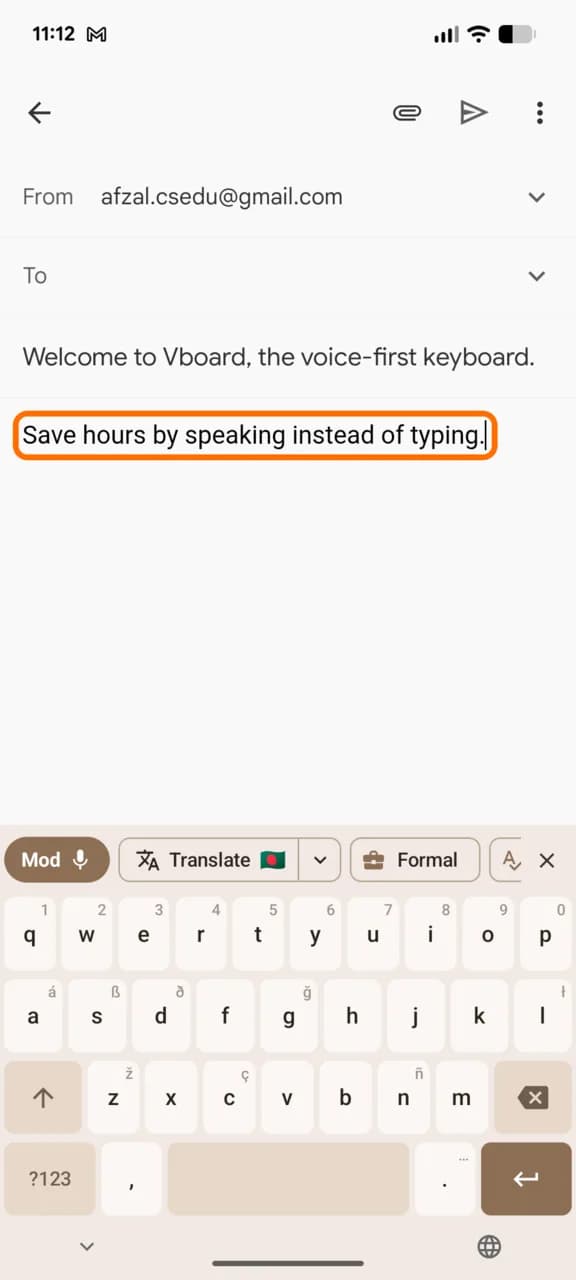
Tap the mic and speak naturally. Your words land as text right where the cursor is.
 vBoardAI VOICE KEYBOARD
The message you've been putting off. The idea you don't want to lose. Speak it into text with vBoard. Want to clean it up? Tap an AI action or say what you want to change.
Android & iPhone: free AI credits for 90 days.
Mac: free with your own Gemini key.
No ads. Your keystrokes stay on your device.
HOW IT COMPARES
System dictation types what you say. Wispr Flow rewrites everything and charges monthly. vBoard edits only when you ask, and you pay only for what you use.
| vBoard | System dictation | Wispr FlowMost popular voice keyboard | |
|---|---|---|---|
| Price | Phones: prepaid AI credits. Mac: free with your own key. | Free, built in | Free tier with weekly word limits, then a subscription |
| Estimated monthly cost | Under 20 cents for typical smartphone use (your own key on Mac) | $0 | $12–15 for unlimited use |
| Subscription required | |||
| AI cleanup | When you ask, by tap or voice | Transcription only | Automatic on every dictation |
| Edit by voice command | Basic commands | Paid plan, desktop only | |
| One-tap translation | By voice command, paid plan, desktop only | ||
| Transform selected textRewrite, fix or translate what you already wrote | Paid plan, desktop only | ||
| Separate voice key for each languageMore accurate if you switch between languages | Language picker on desktop | ||
| Open source | Mac app | ||
| Platforms | Android, iPhone, Mac | Every device | Mac, Windows, iPhone, Android |
Wispr Flow details from its public pricing page and help center, September 2026. Desktop means Mac and Windows. Wispr Flow is a trademark of its owner.
01 / SPEAK FIRST, EDIT LATER
Dictation and AI cleanup are separate steps. Once your words are in text, tap an AI action or give a voice command to remove fillers, change the tone, or translate. Nothing changes until you ask.
hey Sam, so um the designs are ready, uh, can you have a look before Friday? um, would be good to get your thoughts before we send them over
"Remove the ums and make this email more professional."
Say what you want to change.
Illustrative examples. No microphone access or live AI processing on this page.
FOR THE WORDS THAT NEVER MAKE IT OUT
They arrive between meetings. On the way home. In the middle of something else. Give them somewhere to go.
Try vBoard02 / RIGHT WHERE THE WORDS GO
Messages, email, notes. vBoard brings voice and AI to the places you already write.
Tap the mic and speak naturally. Your words land as text right where the cursor is.
Your text is there. Now say what to change, in your own words.
On Mac, vBoard lives in the menu bar and works in any app. Polish your words with an AI action before they go in.
Meet vBoard for Mac03 / PICK YOUR EVERYDAY COMPANION
A keyboard on your phone. A shortcut on your Mac. Pick one, or use all three.
Dictate, rewrite, and translate from your keyboard. Keep your clipboard and saved prompts close.
Free keyboard and on-device prediction. Try AI with a free trial, then buy prepaid credits.
Get it on Google PlayFree · No ads · On-device predictionUse the keyboard and companion app to turn spoken thoughts into text in any app.
Dictation briefly hops to the vBoard app, then drops your text back. AI trial, then prepaid credits.
Download on the App StoreFree · No ads · No analyticsHold fn, speak, and release. Your text lands at the cursor. Select text and press ⌥⌘C to rewrite it.
Free and open source. Works with your own Gemini API key.
Download for Macv3.7.0 · Signed & notarized by Apple · macOS 12+ · Intel & Apple silicon04 / PRICING
Every keyboard is free. On phones, AI runs on a trial and then prepaid credits. On Mac, you use your own key.
Try vBoardFree to use. Honestly, for plain typing your system keyboard is just as good. vBoard earns its place with voice and AI.
Free trial, then prepaid credits through your app store. Credits never expire.
Free app with your own Gemini API key. API usage is billed separately by Google.