SrizonVoice
A lightweight macOS push-to-talk dictation app that converts speech to text with Gemini. Spoken language is detected automatically, dictation works across all major languages, and translation modes can return a target-language output when you need one.
Requires macOS Monterey (12.0) or later • Free app; you only pay Google Gemini API usage, usually very low
“Apple could not verify” Warning
Since SrizonVoice is not notarized by Apple yet, macOS Gatekeeper may block the app on first launch. To fix this, open Terminal and run:
xattr -cr /Applications/SrizonVoice.appThis removes the quarantine flag that macOS adds to downloaded apps. You only need to do this once.
See It in Action
Clean, native macOS interface that stays out of your way
Live Demo — Press the hotkey, speak, and insert the result
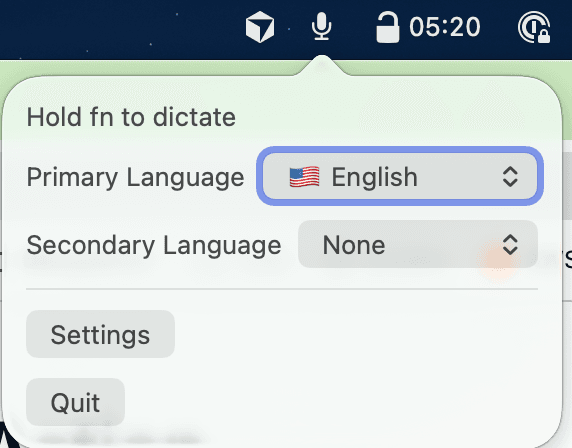
Dictation Controls
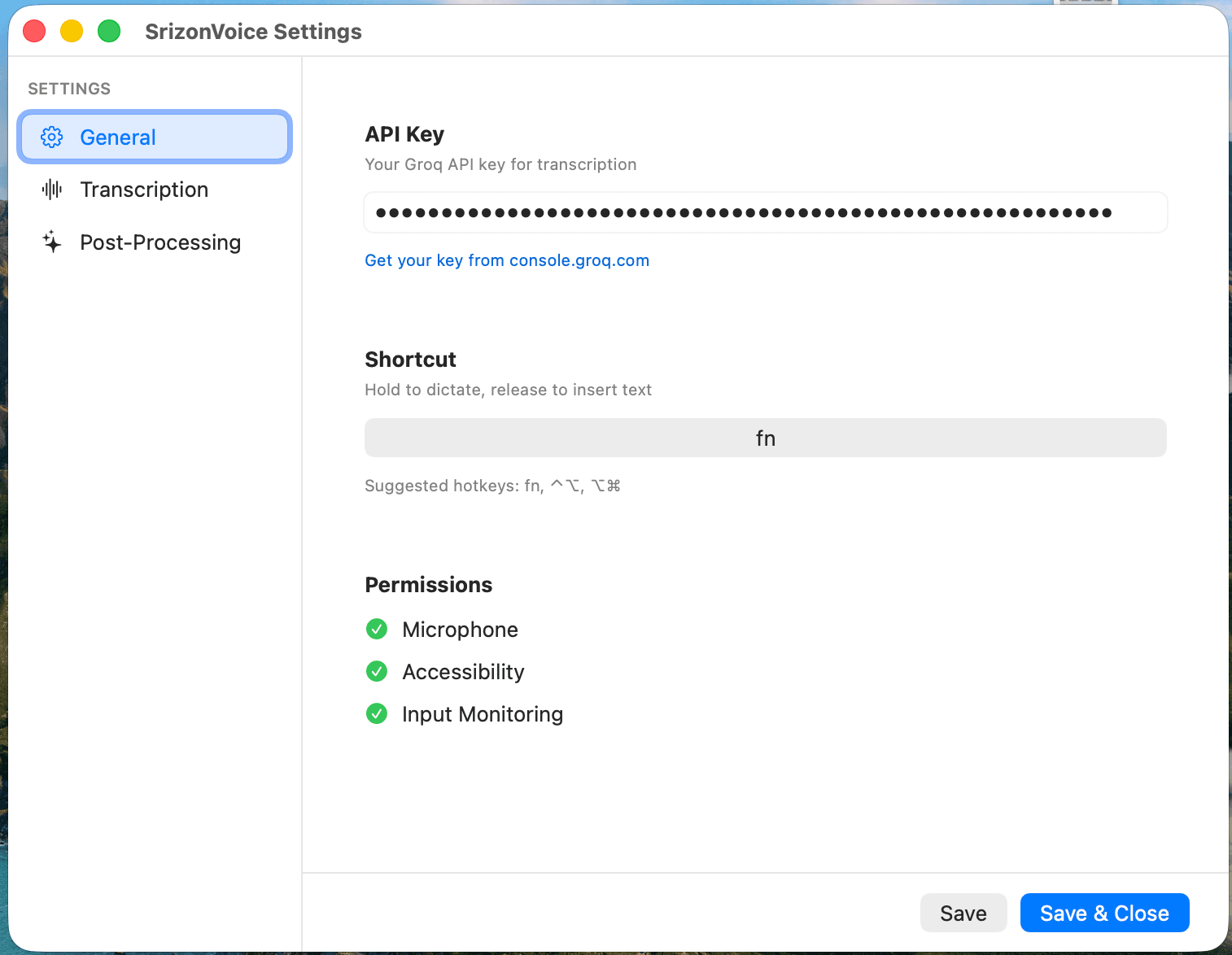
API Key & Permissions
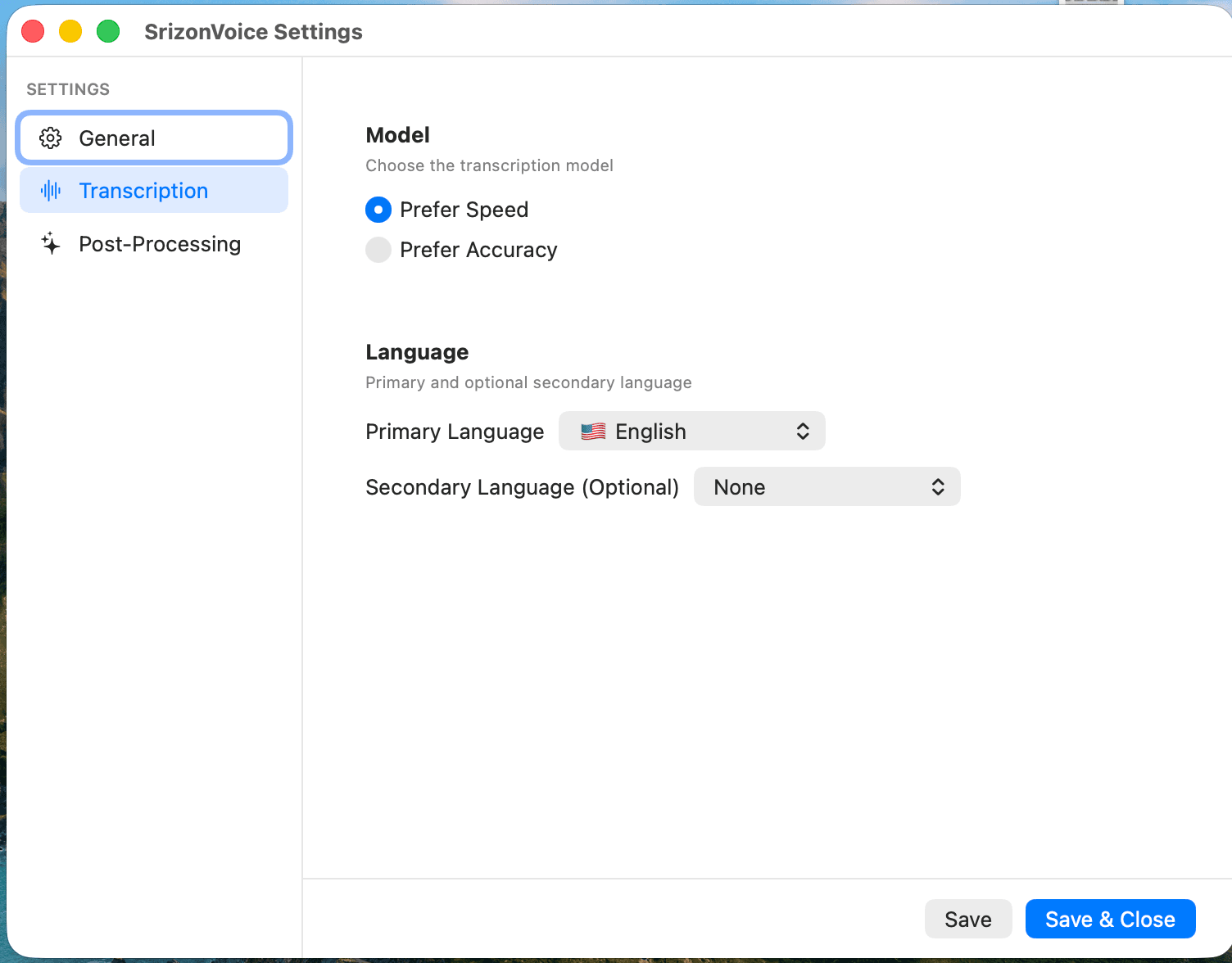
Transcription Settings
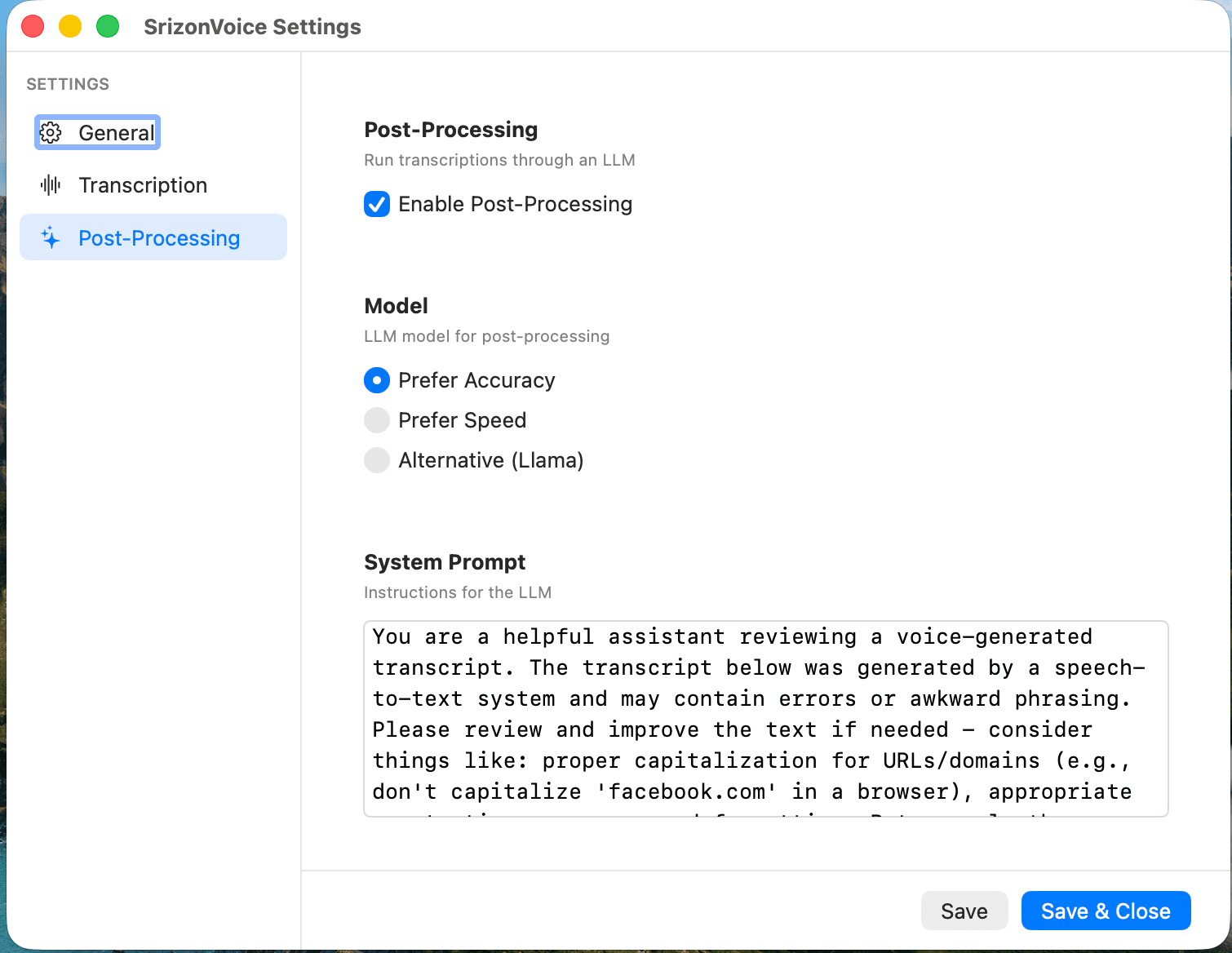
Custom Gemini Output
Powerful Features
Fast AI transcription in a simple push-to-talk app
Gemini-Only Dictation
Gemini handles transcription, correction, custom prompts, and translation in one request. Spoken language is detected automatically from the audio.
Handsfree or Push-to-Talk
Press the hotkey once to record and again to insert text, or switch to push-to-talk when you prefer hold-to-record behavior.
Global Hotkey
Default Fn key works from any app — fully customizable in Settings. Press Escape while recording to cancel without transcribing.
All Major Languages
Speak in all major languages without choosing a source language first. Translation modes let you choose the target output language.
Works Everywhere
Text is inserted directly into any active text field using Accessibility APIs, with enhanced support for Electron apps like Slack, Discord, Notion, and more.
Lightweight & Native
Built with Swift and SwiftUI as a native macOS app. Minimal resource usage, launches at login, and stays out of your way.
Bring Your Own Key
The app is free. Use your own Gemini API key stored securely in macOS Keychain; you only pay Google Gemini API usage, which should be very low for typical dictation.
How It Works
Three simple steps to hands-free typing
Press Hotkey
Press the Fn key (or your custom shortcut) from any app to start recording
Speak Naturally
Talk at your natural pace in any major language. Gemini detects the spoken language from the audio
Stop and Insert
Press again, or press Esc, and Gemini returns polished text or a target-language translation for insertion
Quick Setup
Get started in under a minute
Download the DMG file and open it
Drag SrizonVoice to your Applications folder
Launch the app — it appears in your menu bar
Enter your Gemini API key, then click "Grant Permissions" to set up Microphone, Accessibility, and Input Monitoring access
Press your hotkey (default: Fn) and start dictating!
Note:You'll need to grant Microphone and Accessibility permissions in System Settings for dictation and text insertion to work.
All Major Languages
Speak naturally without picking a source language first. Gemini detects the spoken language automatically, and translation modes can output the result in your selected target language.
🇺🇸
English
🇪🇸
Spanish
🇫🇷
French
🇩🇪
German
🇨🇳
Chinese
🇯🇵
Japanese
🇸🇦
Arabic
🇧🇩
Bengali
🇮🇳
Hindi
🇧🇷
Portuguese
🇷🇺
Russian
🇰🇷
Korean
🇮🇹
Italian
🇹🇷
Turkish
🇻🇳
Vietnamese
🇳🇱
Dutch
🇵🇱
Polish
🇹🇭
Thai
🇸🇪
Swedish
🇮🇩
Indonesian
Plus all major languages supported by Gemini
Requirements
System
- macOS Monterey (12.0) or later
- Microphone permission
- Accessibility permission
- Input Monitoring permission
API Keys
- Gemini API key (required; usage paid to Google, usually very low)
Privacy & Security
SrizonVoice respects your privacy. Audio is only captured while you are actively recording and is sent directly to Google Gemini for transcription, correction, and optional translation. No data passes through Srizon servers.
See Google Privacy Policy for Google's provider policy.
Ready to Dictate?
Download the free app and start typing with your voice across any macOS app today. Your only cost is Gemini API usage, which should be very low for typical dictation.
Download SrizonVoice